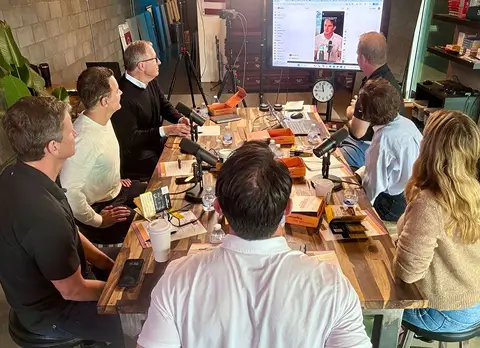
Sunset 17 TV & Podcasts
Get a Sunset 17 Quote in ChatGPT or Claude
The Sunset 17 app lets you price a podcast or video-podcast recording at Sunset 17 TV & Podcasts, and send the quote to our team, without leaving your AI assistant.
What you can do
- Build a quote in the conversation. Choose studio hours, a third camera, Silver or Gold vertical shorts editing and branded posters, and watch the itemized total update as you go.
- Ask about our services and pricing, for example “What does Sunset 17 offer for a video podcast?”
- Price a specific setup, for example “How much is a 3-hour session with a third camera and 5 Silver shorts?”
- Send your quote to Sunset 17. Add your name and email (phone and comments are optional) and agree to share them. Our team follows up to confirm availability and book, and you get a confirmation email.
The app quotes sessions from 1 to 8 hours. For longer sessions, or anything else, contact us directly.
Set it up
Claude (claude.ai, Claude Desktop or the Claude mobile app)
- Open Customize → Connectors. On a Team or Enterprise plan, an Owner may need to add it for your organization first.
- Find Sunset 17 TV & Podcasts in the directory and click Connect. If it isn’t listed, add a custom connector with the URL
https://www.sunset17.com/wp-json/sunset17/v1/mcp. No sign-in is needed, so leave the optional settings blank. - In a chat, click + → Connectors and make sure Sunset 17 is turned on.
ChatGPT
- Open Apps and search for Sunset 17 TV & Podcasts, then connect it.
- Start a chat and ask for a Sunset 17 quote.
Try it
- “I’d like a quote for a podcast at Sunset 17.”
- “Price a 3-hour Sunset 17 session with a third camera and 5 Silver shorts.”
- “What does Sunset 17 offer for recording a video podcast?”
- “Send Sunset 17 a quote for a 2-hour session with 2 posters.”
Your information
- Asking about prices doesn’t share any personal information with us.
- We only receive your details when you send a quote request and agree to share them. We never see the rest of your conversation with the assistant.
- Quote requests are handled as described in our Privacy Policy. Use of the app is covered by our Terms of Service.
Troubleshooting
- The quote form doesn’t appear: make sure the Sunset 17 app is connected and turned on for the chat, then ask again. You can also use the quote generator on our website.
- “Online quote requests are paused for today” or “already sent several quote requests today”: online requests have a daily limit. Call us at 949-391-2312 instead.
- No confirmation email: check your spam folder, or contact us.
Contact
Questions about the app or a quote: www.sunset17.com/contact or 949-391-2312. Privacy questions: privacy@sunset17.com.